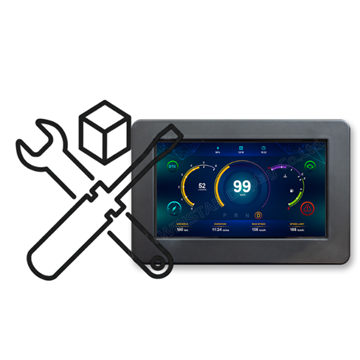
TFT 7" 1024x600, UART interface & GPIO Support, 450cd/m², Wide View Angle (IPS), Capacitive touch panel (GG), with IP54 Plastic Housing
DESCRIPTION
Below are the features of 7 inch smart display (UART series):
- +12V power supply input with 8V to 35V dynamic range power input, the power consumption is around 6 Watt.
- Self-testing after booting function.
- CAN bus communication interface.
- Supports UART protocol, default baud rate at 115200Kbps.
- Built in 16MB external flash memory to store the font and Object Dictionary Data.
- Support capacitive touch panel (CTP).
- Build in buzzer and can be controlled by Master Device.
- Demo set HOST can be used on multiple platforms, such as Computer (with USB to UART Dongle), MCU, Raspberry Pi.
- GPIO PIN support with 3.3V TTL.
- The product, with its housing, meets the IP54 rating. It is protected against limited amounts of dust and other particles, and it is also safeguarded from water sprays from all directions.
- Design the UI without writing a line of code by WINSTAR GUI builder! (►Link to GUI Builder Introduction)
- Designed with STM32F series MCU and Support STMicroelectronics' (ST) software development tools.
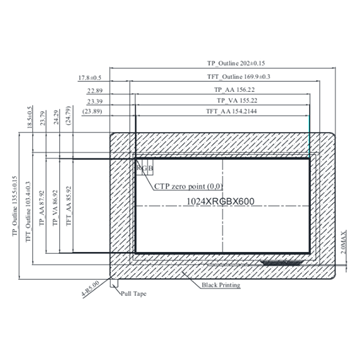
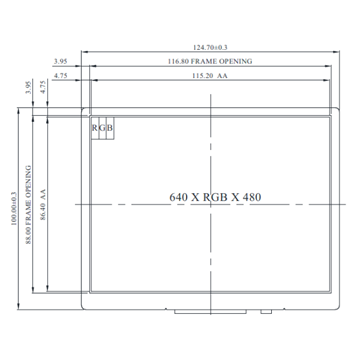
DRAWING
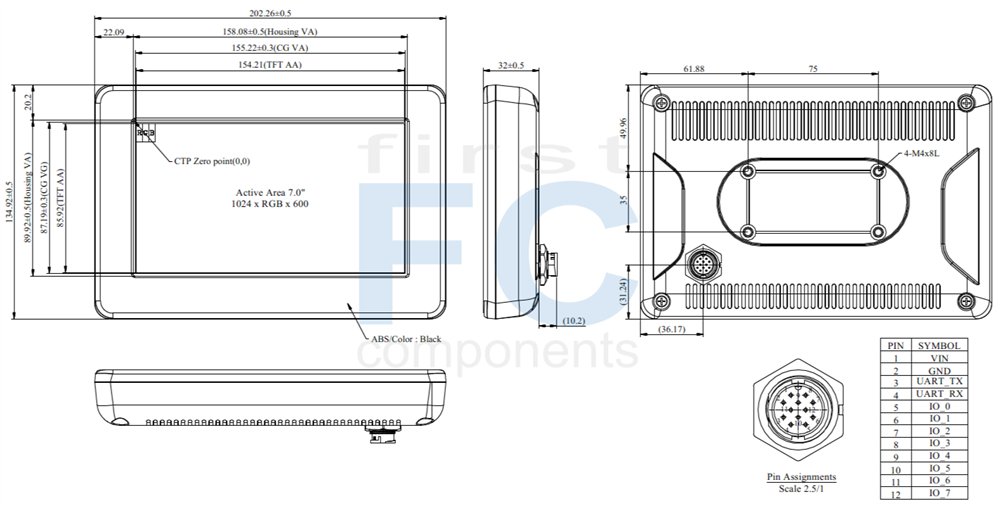
SPECIFICATIONS
General Specifications
General information
| Item | Standard Value | Unit |
|---|
| Operating voltage |
8~35 dynamic |
Vdc |
| Communication Interface |
UART |
-- |
| MCU |
STM32F746 |
N/A |
| SDRAM |
16 |
MB |
| Flash Memory |
16 |
MB |
| LCD display size |
7 |
inch |
| Dot Matrix |
1024 x RGB x 600(TFT) |
dot |
| Module dimension |
202.26(W) x 134.92(H) x 32(D) |
mm |
| Active area |
154.2144 x 85.92 |
mm |
| Dot pitch |
0.1506 x 0.1432 |
mm |
| Brightness |
Min: 400; Typ: 450 |
cd/m2 |
| LCD type |
TFT, Normally Black, Transmissive |
| View Direction |
85/85/85/85 |
| Aspect Ratio |
16:9 |
| Touch Panel |
With CTP |
| Surface |
Glare |
Absolute Maximum Ratings
| Item | Symbol | Min | Typ | Max | Unit |
|---|
| Operating Temperature |
TOP |
-20 |
- |
+70 |
℃ |
| Storage Temperature |
TST |
-30 |
- |
+80 |
℃ |
Electrical Characteristics
| Item | Symbol | Condition | Min | Typ | Max | Unit |
|---|
| Supply Voltage |
VCC |
- |
8 |
12 |
35 |
V |
| Supply Current |
I(mA) |
- |
- |
520 |
- |
mA |
BOM
| Item | Description |
|---|
| LCM |
WF70-1024600A8L#BP3-FC |
| PCBA |
SV10007R00A8K00N0106 |
Interface Pin Function
| Pin | Symbol | Function | Remark |
|---|
| 1 |
VIN |
Power supply V+ |
Input |
| 2 |
GND |
Power supply GND input |
Input |
| 3 |
UART TX |
UART TX |
I/O |
| 4 |
UART RX |
UART RX |
I/O |
| 5 |
IO_0 |
ADC,DAC,Timer,Event,I/O @3.3V |
I/O |
| 6 |
IO_1 |
ADC,Timer,Event,I/O @3.3V |
I/O |
| 7 |
IO_2 |
ADC,Timer,Event,I/O @3.3V |
I/O |
| 8 |
IO_3 |
ADC,Timer,Event,I/O @3.3V |
I/O |
| 9 |
IO_4 |
ADC,Timer,Event,I/O @3.3V |
I/O |
| 10 |
IO_5 |
ADC,Timer,Event,I/O @3.3V |
I/O |
| 11 |
IO_6 |
ADC,Timer,Event,I/O @3.3V |
I/O |
| 12 |
IO_7 |
RST,ADC,Event,I/O @3.3V |
I/O |
Display Usage
Functional description
Smart Display can be used to display the coordinate, status and data information provided by the connected HOST device. Customers can configure the position coordinates they want to display in normal operation mode.
The Display is designed to be easily connected to a controller network, and to use the register type of Holding Register.
Splash Screen
The default splash image is shown below.
This product is produced as a generic product. If you require a custom splash image for your application, contact us to discuss.
Default Selection
Press the preferred application and hold for 3 seconds for the first time power on.
Acquisition of Displayed Data
Smart Display uses the Modbus protocol to get and send the data.
On Config mode, customers can set the coordinates or type of objects; On Display mode, customers can send and get data of objects.
Configuring the Display
Winstar Smart Display RS-485 series offers an out-of-the-box Modbus development experience that will lower customers' development costs and speed time-to-market expectations.
The Smart Display can use wide-temperature are designed to support control applications in harsh operating conditions, which designed to be connected to a variety of different situation combinations, such as automotive, marine, power generation and oil-and-gas.
The Smart Display comes with standard UI objects to get customers project off the ground quickly. If customers need custom UI objects support, our engineers are here to help. Send over your contents in PNG/JPG format, we will send over a new set of UI objects within 3~5 working days.
The Smart Display is defined as a slave device, which is controlled by master device via RS485 bus command to render display content on the display screen and return touch event data with protocol objects.
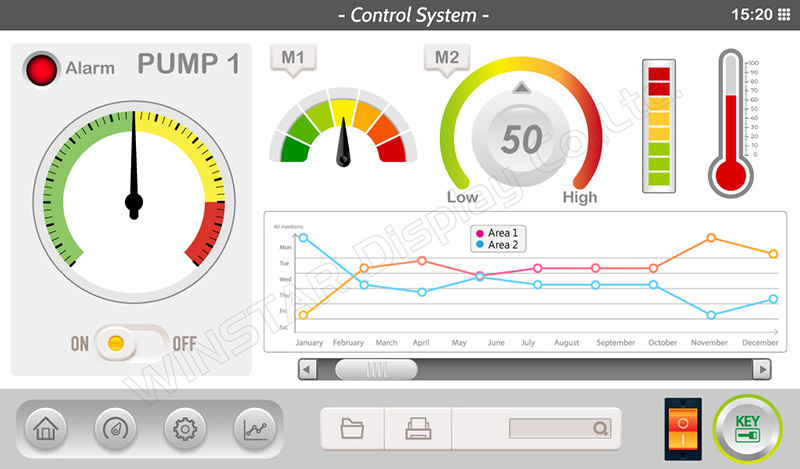
Example Screen Layout (Industry application)
The screen layout described in this section is intended to demonstrate the settings of screen items that can be used in an industry application situation.
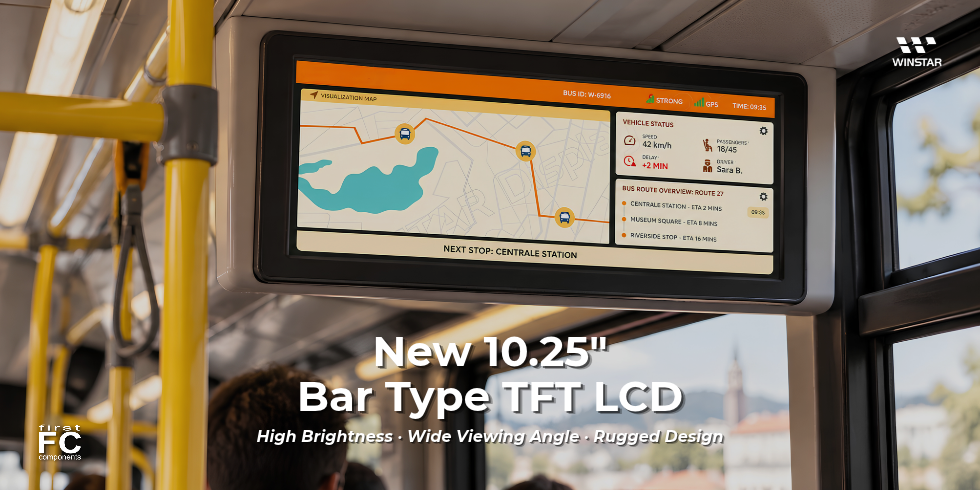
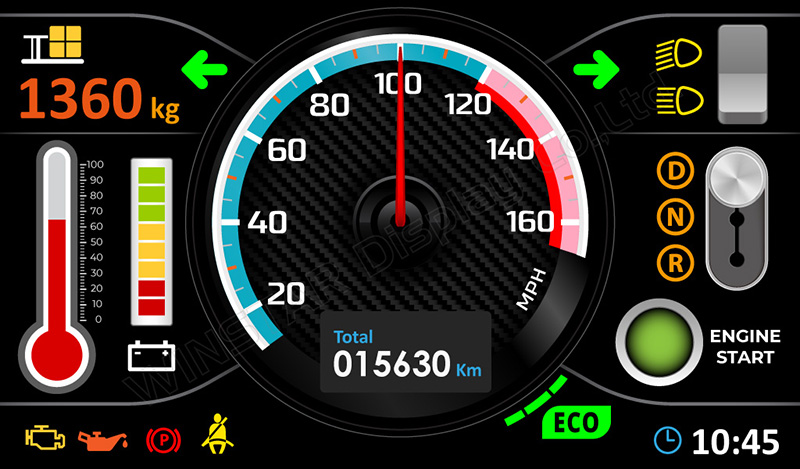
Example Screen Layout (Vehicle automotive)
The screen layout described in this section is intended to demonstrate the settings of screen items that can be used in a vehicle automotive situation.
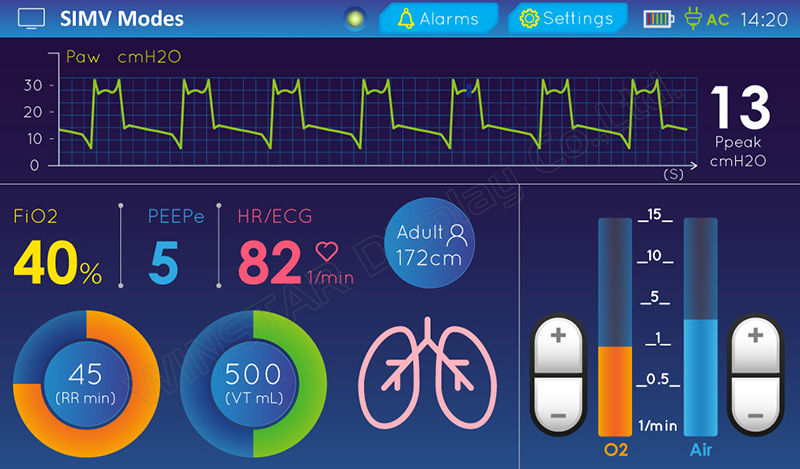
Example Screen Layout (Medical application)
The screen layout described in this section is intended to demonstrate the settings of screen items that can be used in a Medical application situation.