


Back to all
Smart Display GUI Builder Introduction for CAN Bus communication TFT Displays
Smart Display GUI Builder
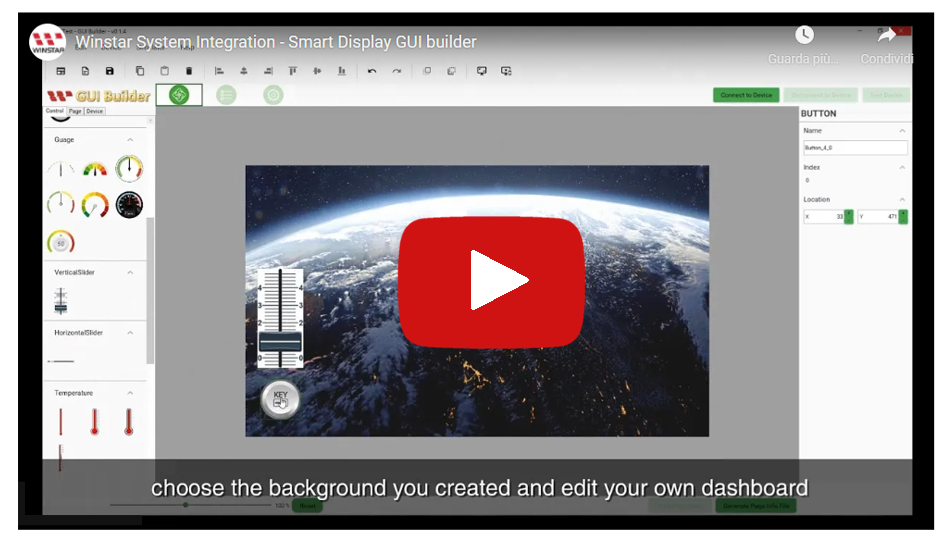
- > Windows IDE for Smart Display GUI design
- To use the function of “Widget preview” dragging to reduce the time of user interface designing. And realize the feature of “What you see is what you get” - > Do Simulation on PC device
- Customers could simulate their display and function they designed by GUI builder without buying any HW device.
- Speedup the time to market cause it will take times to D/L the SW into HW Device - > Customized your own objects
- Customers could update their own objects by themselves without spending time to request Winstar teams. - > Data Compressed
- Compared with the original process. Data will be compressed during updating SW file to decrease the time about 10~15 times.
A comparison between Smart Display GUI vs. Smart Display GUI Builder
- > Smart Display GUI
- Apply for Demoing HW functions, and the display/interaction can be shown without extra settings
- HW device with USB2CAN board are required

- > Smart Display GUI Builder
An Advanced/stronger version for developing and designing which provides multi-functions without writing a line of code. i.e.: Multi-pages, Layout setting, objects customizing and simulation demoing...
SW app needed only

The Start screen of Smart Display GUI Builder

The design page of Smart Display GUI Builder


Customization by Smart Display GUI Builder

Simulation by Smart Display GUI Builder

HW device update

The settings of installation
- > Install USB2CAN Driver
- Execute stlink_winusb_install.bat (Please contact us to get the file)

- > Install Microsoft Visual C++ 2015-2019 Redistributable (x86)
- Execute VC_redist.x86.exe (Please contact us to get the file)

- > Install Smart Display GUI Builder
- Execute WinstarSmartDisplayGUIBuilderSetup_v0.1.5.msi (Please contact us to get the file)
- An icon of “Winstar SmartDisplay GUI Builder” will be shown after installing




